Microsoft Power BI Blog
Follow
Deep Dive into Modern Visual Defaults and Customizing Theme Improvements (Preview)
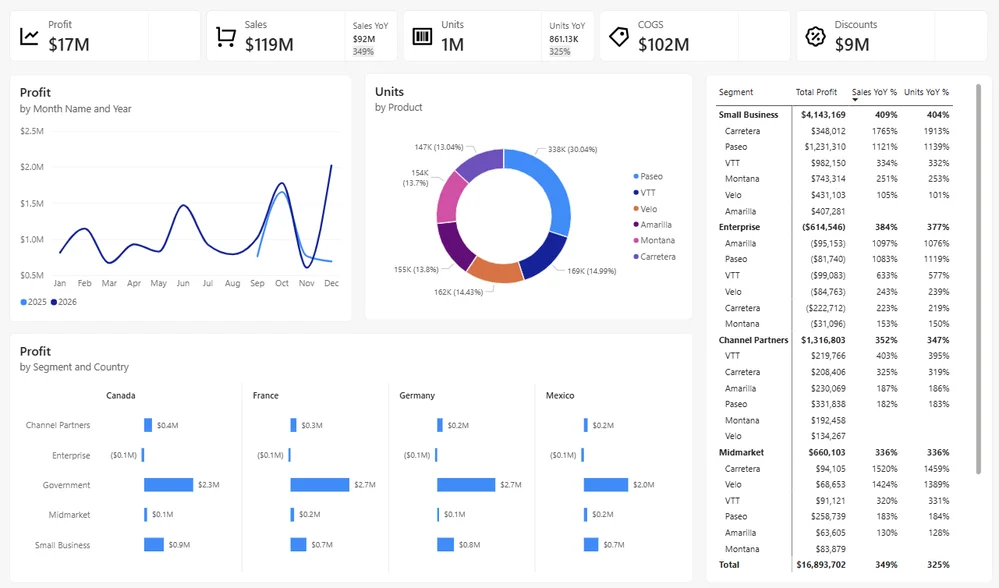
The article discusses new modern visual defaults in Power BI Desktop to improve report styling. These updates are part of the Fluent 2 design language, enhancing the user experience. The canvas size increases, and the background changes to shades of grey for better contrast. All visuals now share uniform styling, font styles, colors, padding, and borders. Style presets are introduced for quick appearance changes within chart types. Charts have presets for axis and label visibility, with line charts using smooth lines. Table, matrix, button, navigator, and card visuals have also received updates with refreshed modern styling. Slicers default to dropdown mode with various style presets available. Small multiples now begin in a 1x4 or 4x1 layout. Users can customize and reset specific sections of the formatting pane. The base theme can be updated in existing reports through the "Customize current theme" option. Enable the preview in Options to experience these enhancements. Users are encouraged to share their feedback on the new features.