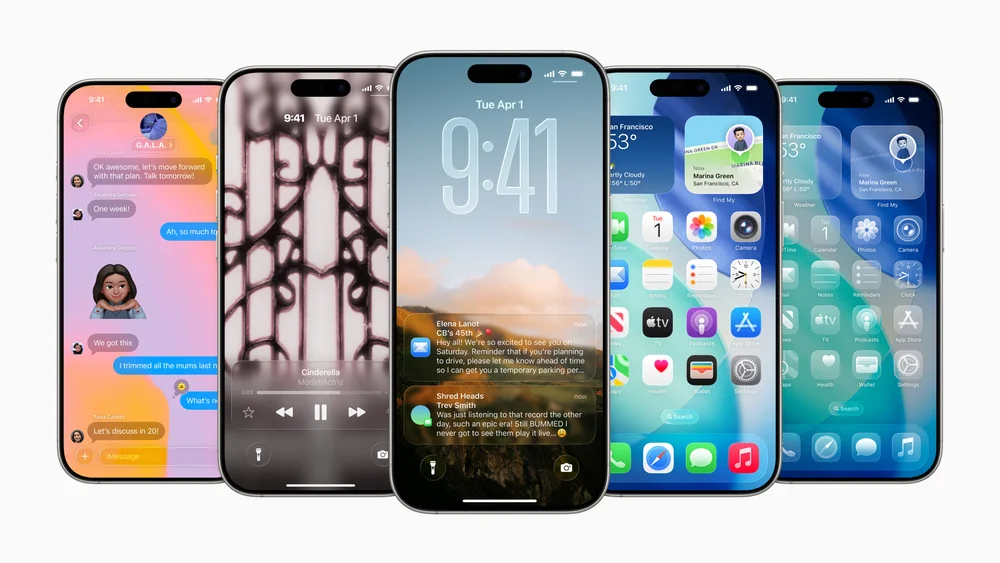
How to Install iOS 26 Public Beta 6 on Your iPhone
Apple has released the sixth public beta of iOS 26, offering a more stable version to users. To install it, you need to enroll your iPhone or iPad in the Apple Beta Software Program. iOS 26 is compatible with iPhone 11 series and newer models, though some features require iPhone 15 Pro or iPhone 16. Apple advises against installing beta software on your primary device due to potential bugs. Before proceeding, it is crucial to create an archived backup of your device using Finder on a Mac. This backup allows you to revert to the previous iOS version if any issues arise. To download the public beta, visit the Apple Beta Software Program website and sign up. Then, navigate to Settings > General > Software Update on your iPhone. Select "Beta Updates" and choose iOS 26 Public Beta. Tap "Download and Install" and follow the on-screen prompts to complete the installation. iOS 26 features a new Liquid Glass design system, enhancing the visual appeal of the interface. The update also introduces Apple Intelligence, including on-device Live Translation and Visual Intelligence for screen content analysis. Communication apps receive significant upgrades, with the Phone app offering Call Screening and Messages gaining filtered inboxes and custom backgrounds. CarPlay receives a visual refresh and new functionalities, while key apps like Apple Music, Maps, and Wallet also see improvements. A new Games app is introduced as a central hub for mobile gaming, featuring a unified library and Apple Arcade support.