Microsoft Power BI Blog
Follow
Input slicer: Filter reports and collect user input (Generally Available)
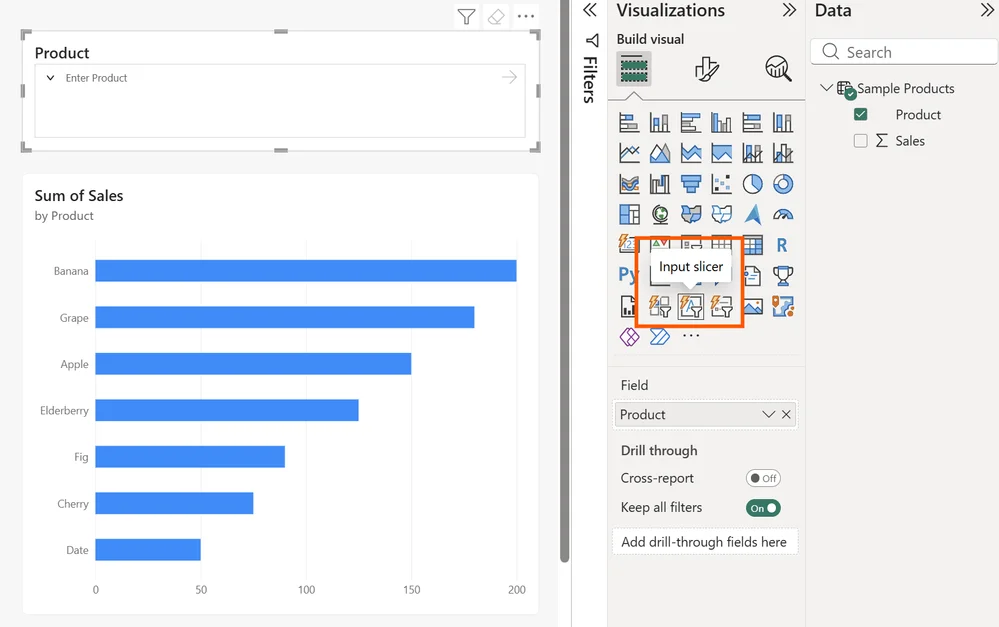
The input slicer is a new visual in Power BI that allows users to filter reports by typing values directly into a box, eliminating the need to scroll through long lists. This visual is designed for filtering by specific IDs, names, or codes, offering a more efficient experience compared to traditional slicers. Users can input multiple values, search using partial text and various operators like "Contains" or "Starts with," and also collect free-form input for tasks like comments. To get started, you can create sample data within Power BI Desktop and then add the input slicer, connecting it to a field. By typing values and pressing Enter, the report filters accordingly, and users can adjust the filter operator to control how the entered values match the data. The slicer can be configured to accept single or multiple values depending on the use case. Several scenarios illustrate the slicer's usefulness, like quickly filtering sales data for flagged accounts or finding customer tickets based on partial names. The input slicer simplifies data filtering, particularly when dealing with large datasets, partial information, or free-form user input and enhances report interactivity. It provides a more flexible way to filter data compared to conventional slicers. It's available in Power BI Desktop and the Power BI service for creating reports.