Kubernetes Blog
Follow
Introducing kube-scheduler-simulator
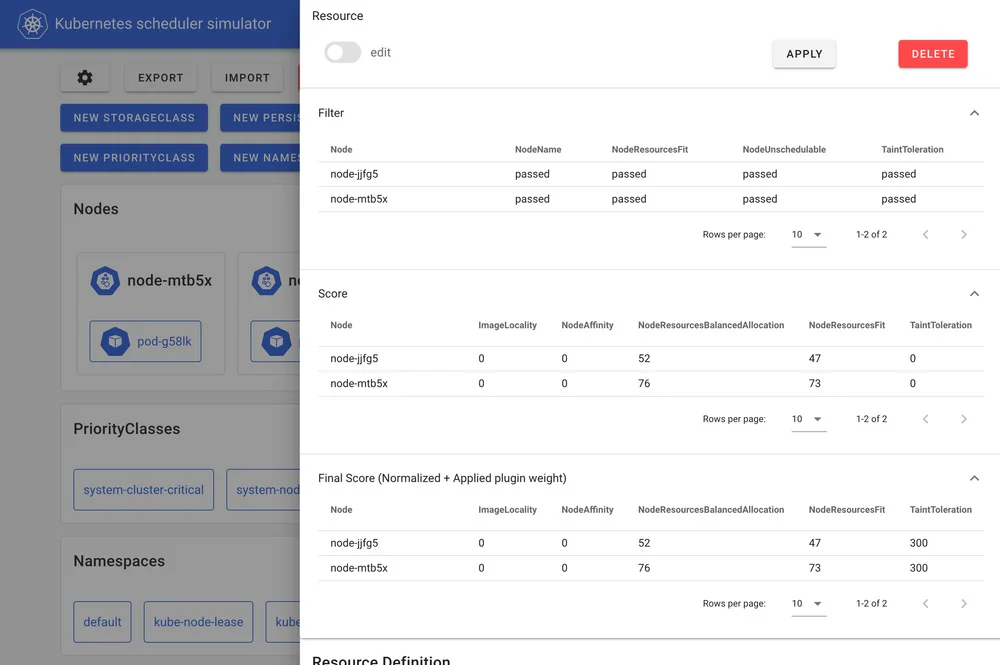
The Kubernetes Scheduler is a crucial component that determines which node a Pod will run on, and understanding its behavior can be challenging due to the multitude of factors it considers. The kube-scheduler-simulator is a tool that allows users to closely examine the scheduler's behavior and decisions, making it useful for both casual users and experts who extend the scheduler with custom plugins. The simulator was initially developed as a Google Summer of Code 2021 project and has since received numerous contributions. It enables users to test their scheduling constraints, scheduler configurations, and custom plugins while checking every detailed part of scheduling decisions. The simulator also allows users to create a simulated cluster environment, where they can test their scheduler with the same resources as their production cluster without affecting actual workloads. The simulator's core feature is its ability to expose the scheduler's internal decisions, and it provides a web frontend for visualizing the scheduling results. Users can integrate their custom plugins or extenders into the debuggable scheduler and visualize their results. The simulator can also run standalone, making it useful for custom plugin developers who want to test their plugins or examine their custom scheduler in a real cluster with better debuggability. The simulator's importing feature allows users to simulate deploying a new scheduler version in a production-like environment without impacting their live workloads. The simulator has various use cases, including examining scheduling constraints, assessing changes to the scheduler configuration, and testing custom scheduler plugins or extenders. To get started with the simulator, users only need to have Docker installed on their machine, and they can access the simulator's web UI at http://localhost:3000.