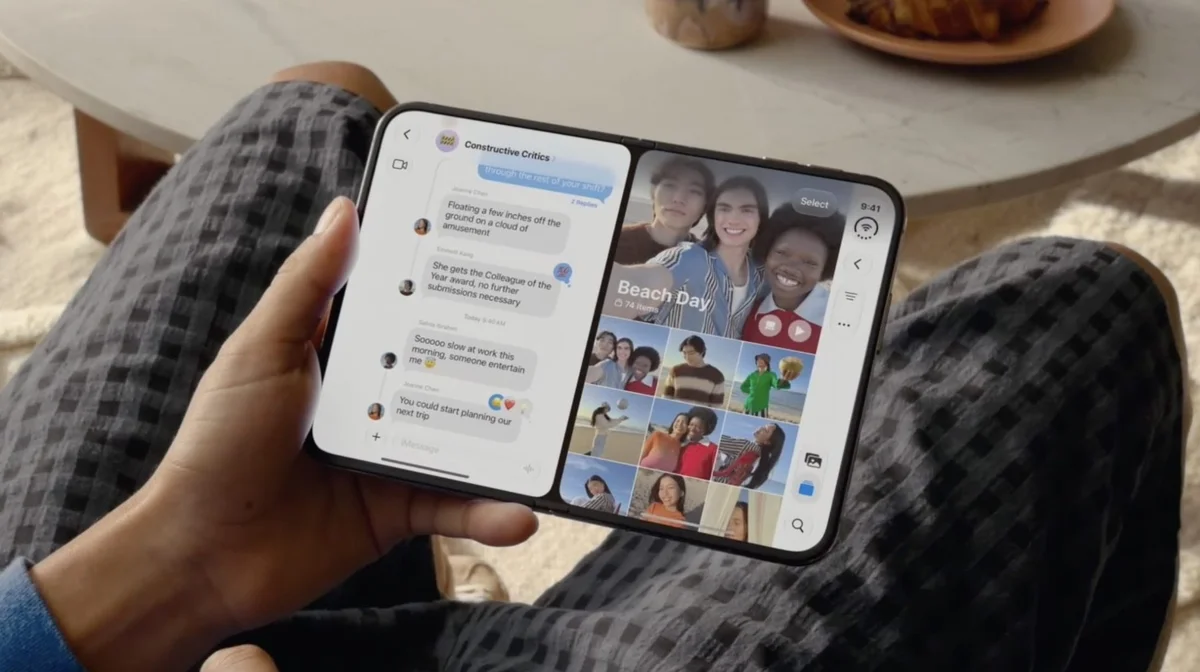
iPhone Duo: Open Two Apps Side by Side and Lock Them As an App Pair
The iPhone Duo introduces Split View, allowing two apps to run simultaneously on its 7.6-inch inner display when unfolded in landscape orientation. This feature is useful for tasks like having Messages open next to Maps or Safari alongside Notes. Users can create App Pairs for frequently used app combinations that launch together. To open two apps in Split View, users can either drag an already open app to one side and select a second from the Home Screen, or long-press an app icon and choose "Open in Split View." The iPhone Duo also supports opening two windows of the same app, such as two Safari pages or two Mail windows. Apps can be swapped by dragging them from the bottom to the opposite side. To lock two apps as an App Pair, users simply tap the divider between them when both are open in Split View. Unpairing involves dragging the divider fully to one side, closing one app and maximizing the other. A key difference from iPadOS is that the app split on the iPhone Duo is fixed at 50/50. Additionally, only one app can play audio at a time, preventing simultaneous audio from two video feeds.