iPhone Duo Owners Can't Change Display Zoom After Setup
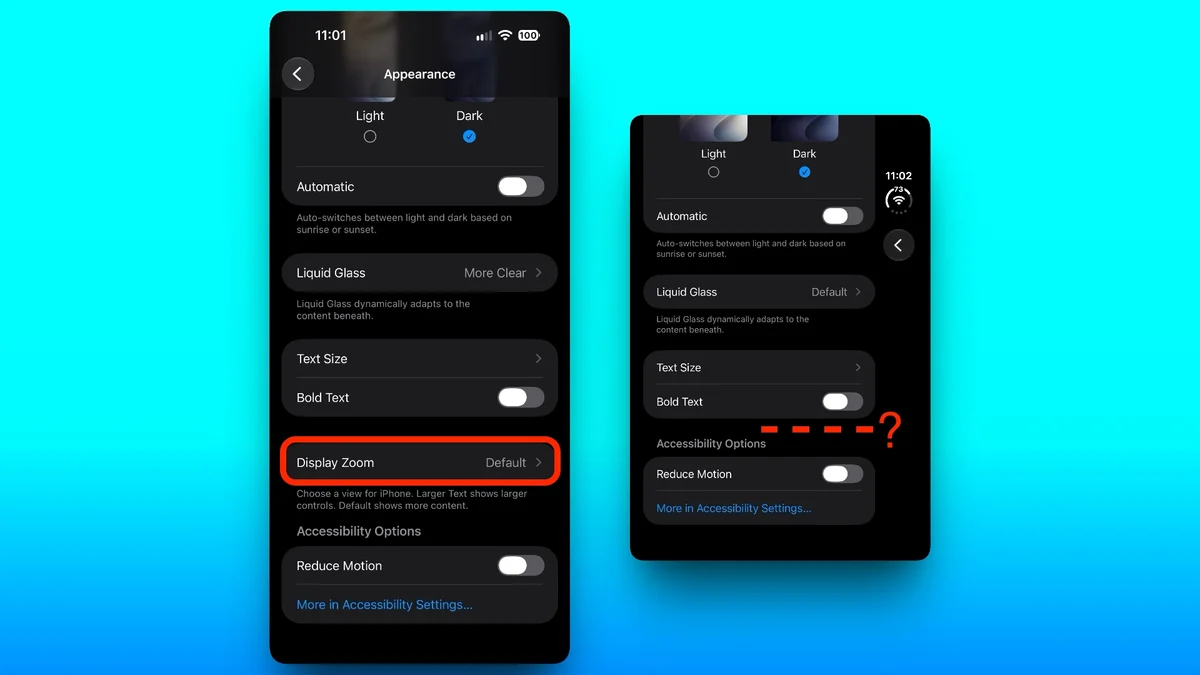
Owners of the iPhone Duo are encountering an issue with a crucial appearance setting. During the initial setup, users can choose between Default, Medium, or Large text and icon sizes. Unlike other iPhones, the iPhone Duo lacks the ability to change this "Display Zoom" setting after the initial setup. This means users are permanently stuck with their first choice. The absence of this option, usually found under Settings > Appearance, has been confirmed. A Reddit user first identified this omission. Apple Support has reportedly stated that the only way to change the setting is to erase the device and restart the setup process. This limitation persists even on the iPhone Duo running the latest iOS 27.2 software. MacRumors has verified the missing option. They have also contacted Apple for clarification on this unusual exclusion.