Microsoft Power BI Blog
Follow
Translytical Task Flows (Generally Available)
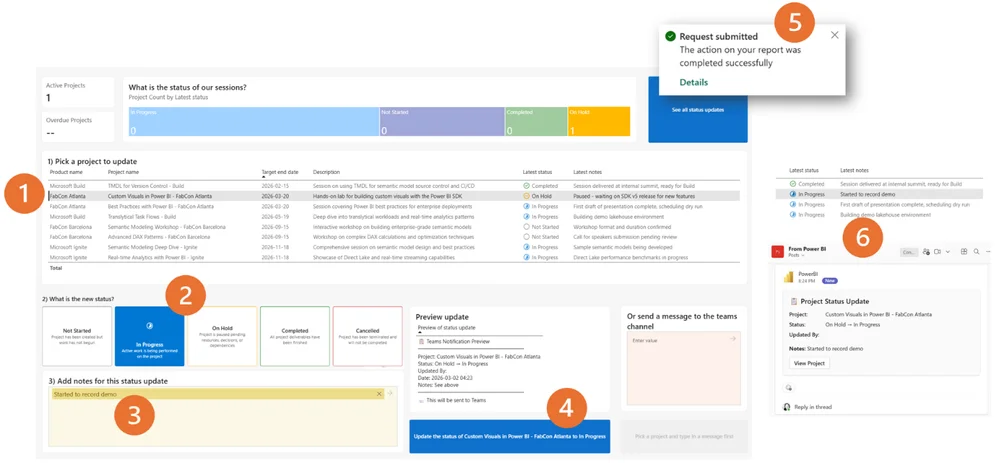
Translytical task flows enhance Power BI reports, enabling users to update data, add notes, and trigger external actions directly within the report. Report consumers become active participants, avoiding the need to switch between applications to complete workflows. These flows connect Power BI to Fabric User Data Functions, executing actions based on user interactions within the report. Key capabilities include adding, updating, and deleting data, along with calling external APIs to trigger actions in other systems. These features allow for data annotation, workflow automation, and AI-assisted decision-making directly within Power BI. User Data Functions currently connect to Fabric SQL databases, warehouses, and lakehouses, providing the data write-back capabilities. Constructing a task flow involves storing data, developing a User Data Function, creating a Power BI semantic model, and building an interactive report. Copilot in Microsoft Fabric and GitHub Copilot accelerate the development process for task flows. Task flows transform Power BI from an analytical tool to an action platform, reducing the time between identifying opportunities and taking action. The documentation and ideas forum provide further information for users to harness.