The author challenged themselves to build an Instagram-style profile page using Uno Platform Hot Design. Initially, the design was far from polished, highlighting the iterative nature of development. Through experimentation, they learned significantly about UI structure, cross-platform design, XAML, and the capabilities of Uno's Hot Design tool.
The author chose Uno Platform due to the challenge opportunity and was impressed by Hot Design's real-time UI editing. This tool addressed common .NET developer pain points like slow UI layout and lagging previews. Hot Design allowed for immediate visual tweaks to spacing, colors, and typography while the app was running.
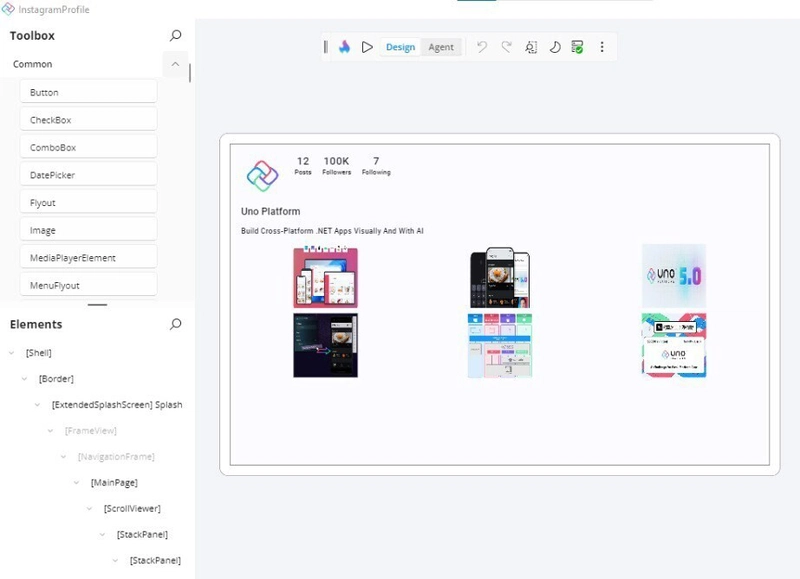
The initial attempt resulted in a "not Instagram" version with awkward spacing and an unrefined look. The author then focused on achieving a clean, fresh design with specific goals: a minimalistic top section, horizontal story bubbles, a simple tab selector, and a responsive three-column grid for posts. They also aimed for a layout that adapted seamlessly between desktop and mobile devices.
After considerable refinement, the author achieved the desired clean and modern aesthetic. Key takeaways include Hot Design's speed for prototyping, Uno's predictability in cross-platform development, the importance of iterative spacing adjustments for good UI, and a workflow blending visual design with coding. The author expressed gratitude to the Uno Platform team for Hot Design and their accessible ecosystem.
Ultimately, the author found the experience enjoyable and highly recommends Uno Platform Hot Design for its speed in bringing UI ideas to life within the .NET ecosystem. The project evolved from a small experiment into a comprehensive UI redesign experience, emphasizing the fun and efficiency of the tool.

dev.to
dev.to

RSS Hunter
2025-12-02
Create attached notes ...