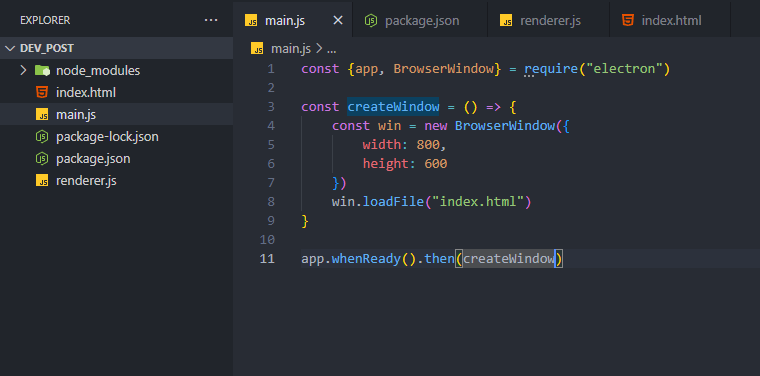
The author found JavaScript and Electron easy to learn for cross-platform app development, especially on a Windows PC. They opted for Electron over native development due to their existing JavaScript comfort. The core files for an Electron app are main.js, preload.js, and index.html (or the output of React). Main.js manages the application's core functionality, connecting with Node.js. Preload.js acts as a security-conscious intermediary between the UI (renderer) and main.js, exposing specific functions. Renderer.js handles UI interactivity, but it's often bypassed when using React. The author describes two project scaffolding methods: using basic HTML, CSS, JavaScript, and Electron, and using React (Vite) and Electron, the preferred method. In the simple setup, preload can be optional, utilizing `app` and `BrowserWindow` from Electron. React simplifies development, and they suggest installing Electron as a dev dependency within a Vite project. The author primarily uses React with Electron using commonJS and renaming .js files to .cjs. This is an early overview of their Electron journey, and they plan to share further insights.

dev.to
dev.to

RSS Hunter
2026-01-09
Create attached notes ...