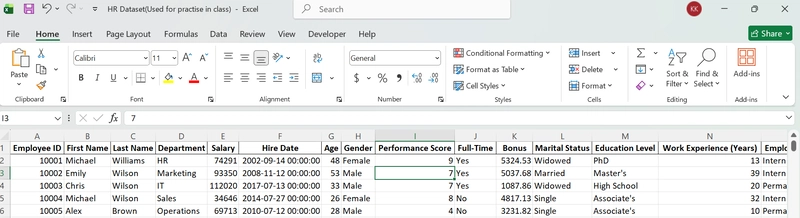
The text provides a beginner-friendly guide to performing basic data analysis using Microsoft Excel, specifically with an HR dataset as an example. It starts by emphasizing the importance of understanding the dataset's structure, detailing columns like employee ID, salary, and department. The article explains how to convert data into an Excel table, enabling easy sorting and filtering of information. Sorting allows users to quickly identify high or low values, for instance, finding the highest-paid employees. Filtering helps narrow down the dataset to specific groups, such as interns in a particular location. Formulas like COUNTIFS and AVERAGE are introduced for quick calculations and data summarization. PivotTables are highlighted as a powerful tool for quickly summarizing large datasets, illustrating employee counts by department. Charts are then used to visualize the PivotTable results, making patterns easier to understand. Conditional formatting is explained as a way to automatically highlight values based on rules, like identifying low performance scores. The piece concludes by summarizing the discussed features that make Excel a powerful tool for turning raw data into actionable insights for decision-making. These basic features include structuring data, sorting and filtering, calculations, pivot tables, visualization, and conditional formatting.

dev.to
dev.to

RSS Hunter
2026-01-25